

Introduction
In today’s digital world, education and training are no longer limited to classrooms. Businesses, schools, and independent trainers are moving toward online systems that make learning flexible and accessible. This is where learning management software becomes essential.
Learning management software helps organizations create, manage, deliver, and track educational courses in one place. Whether you are a school administrator, HR manager, coach, or entrepreneur, this system can simplify your training process. It saves time, reduces paperwork, and improves learning results.
Over the past decade, learning management software has become a powerful tool for remote learning, employee onboarding, skill development, and compliance training. From small startups to large enterprises, everyone is using digital learning platforms to stay competitive.
In this complete guide, you will learn what learning management software is, why it matters, how to choose the right system, its benefits and risks, common mistakes to avoid, and expert tips for success. The goal is to give you a clear understanding in simple English so you can make confident decisions.
Let’s start with the basics.
What is Learning Management Software?
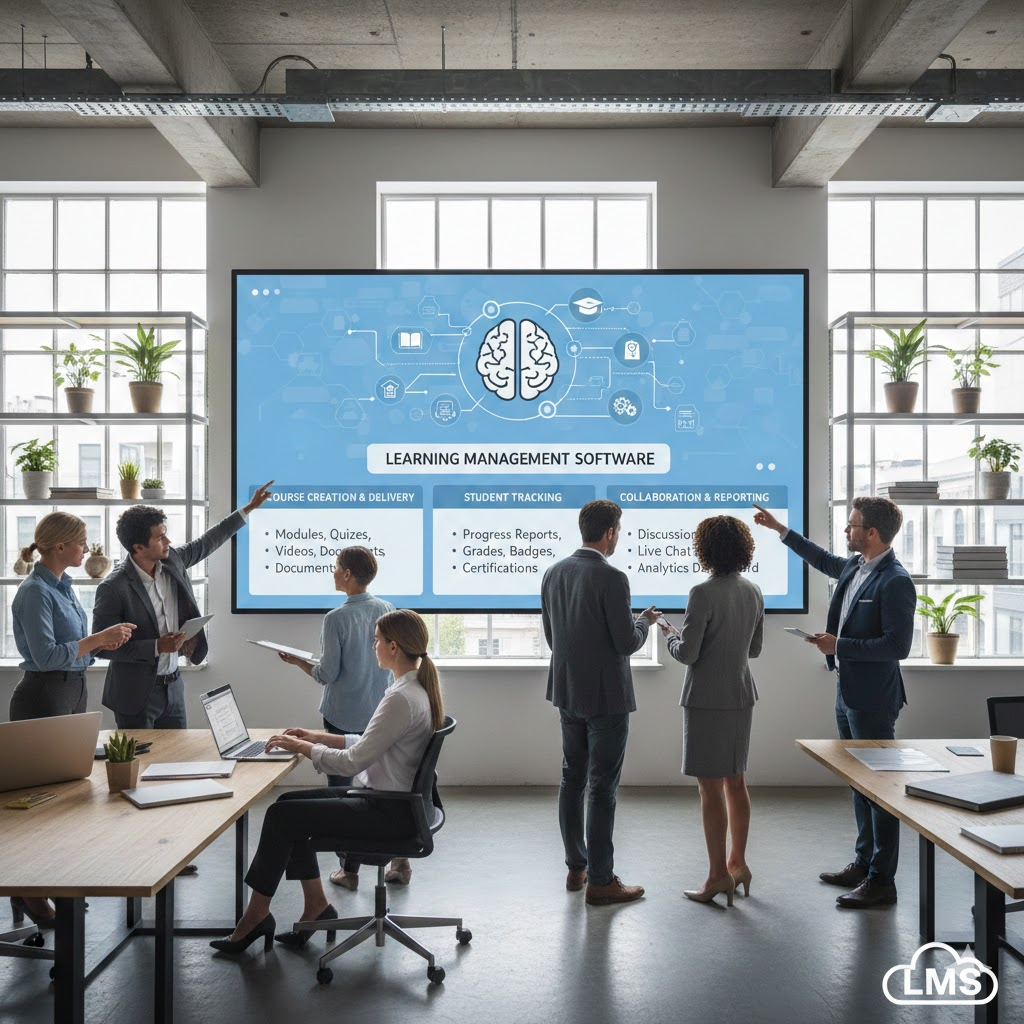
Learning management software is a digital platform that allows you to create, organize, deliver, and track educational or training programs online.
In simple words, it is an online system where:
- Teachers upload lessons
- Students access courses
- Managers track progress
- Companies train employees
It is often called LMS (Learning Management System), but learning management software is the broader term that includes different types of systems used for education and corporate training.
Core Functions of Learning Management Software
A typical system includes:
- Course creation tools
- Video and document uploads
- Quizzes and assessments
- Progress tracking
- Reporting and analytics
- User management
For example, a company can upload onboarding training videos. New employees log in, complete modules, take quizzes, and managers see who finished the training.
Similarly, a school can upload recorded lectures, assignments, and exams for students.
Why is Learning Management Software Important?
Learning management software is important because modern education and business training demand flexibility, speed, and scalability.
Here are the main reasons why it matters:
1. Remote Learning Support
People can learn from anywhere. This became especially important during global disruptions when physical classrooms were closed.
2. Centralized Training
All training materials stay in one secure place. No more scattered emails or lost documents.
3. Better Tracking
Managers and teachers can see:
- Who completed courses
- Test scores
- Time spent learning
- Skill improvement
4. Cost Reduction
Organizations save money on:
- Travel
- Printed materials
- Physical classroom space
5. Consistent Training
Every learner receives the same information. This ensures standardized knowledge across teams.
Because of these advantages, learning management software is now a key part of digital transformation strategies in many industries.
Detailed Step-by-Step Guide
Step 1: Identify Your Learning Goals
Before choosing any learning management software, define your goals clearly.
Ask yourself:
- Are you training employees or students?
- Is the training mandatory or optional?
- Do you need certifications?
- How many users will access the system?
Clear goals help you select the right features.
Step 2: Choose the Right Type of LMS
There are different types of learning management software:
1. Cloud-Based LMS
- Hosted online
- No installation needed
- Easy updates
2. Self-Hosted LMS
- Installed on your own server
- Full control
- Requires technical maintenance
3. Corporate LMS
- Focused on employee training
- Compliance tracking
- Skill development
4. Academic LMS
- Designed for schools and universities
- Assignment management
- Grading systems
Choose the type that matches your needs.
Step 3: Evaluate Essential Features
When selecting learning management software, look for these features:
- Easy course builder
- Mobile-friendly design
- Reporting tools
- User role management
- Integration with other tools
- Data security
For example, if your employees use HR software, integration becomes important.
Step 4: Set Up User Roles
Different users need different access levels:
- Administrator: Full control
- Instructor: Create and manage courses
- Learner: Access courses only
Setting correct permissions improves security and organization.
Step 5: Create Engaging Content
Good content is the heart of successful learning management software.
Use:
- Short video lessons
- Interactive quizzes
- Downloadable PDFs
- Real-life examples
- Case studies
Avoid long boring text. Keep lessons clear and practical.
Step 6: Test Before Launch
Before launching the platform:
- Run test courses
- Check loading speed
- Verify reports
- Test mobile access
Fix technical issues early to avoid frustration.
Step 7: Monitor and Improve
After launch:
- Analyze learner feedback
- Check completion rates
- Update outdated content
- Improve weak modules
Learning systems should evolve continuously.
Benefits of Learning Management Software
Here are the major benefits:
- Flexible learning schedules
- Reduced training costs
- Centralized content management
- Easy progress tracking
- Scalable for large teams
- Consistent knowledge delivery
- Automated certification
- Improved employee performance
- Faster onboarding process
- Better compliance management
For example, a company with 500 employees can train everyone in one week without gathering them physically.
Disadvantages / Risks
Although learning management software offers many advantages, there are also risks:
- Initial setup cost
- Technical issues
- Resistance from employees
- Poor engagement if content is boring
- Data security concerns
- Overcomplicated systems
If the platform is too complex, users may avoid using it. That is why simplicity matters.
Common Mistakes to Avoid
Many organizations make similar mistakes when implementing learning management software.
1. Choosing Based Only on Price
Cheap systems may lack important features.
2. Ignoring User Experience
If the interface is confusing, users will stop learning.
3. No Clear Training Strategy
Uploading random content without structure reduces effectiveness.
4. Lack of Management Support
If leadership does not promote the system, employees may ignore it.
5. Not Updating Content
Outdated courses reduce credibility.
6. Skipping Analytics
Reports help you measure success. Ignoring them wastes valuable insights.
Avoiding these mistakes increases your success rate.
FAQs
1. What is the difference between LMS and learning management software?
LMS is short for Learning Management System. Learning management software is the broader term that refers to the complete digital solution used for training and education.
2. Is learning management software suitable for small businesses?
Yes. Even small businesses benefit from organized employee training. Many cloud-based solutions offer affordable plans.
3. Can learning management software improve employee performance?
Yes. Structured training improves knowledge, productivity, and skill development. Employees learn faster and perform better.
4. Is technical knowledge required to use it?
Most modern platforms are user-friendly. Basic computer skills are usually enough for administrators and instructors.
5. How secure is learning management software?
Security depends on the provider. Choose systems with data encryption, secure login, and regular updates.
6. Can it support mobile learning?
Yes. Most modern systems are mobile responsive, allowing learners to access courses on smartphones and tablets.
7. How long does it take to implement?
Implementation time depends on system complexity. Small setups may take a few days, while large enterprises may need several weeks.
Expert Tips & Bonus Points
Here are practical tips from industry experience:
1. Keep Courses Short
Break lessons into small modules. Short videos improve completion rates.
2. Use Gamification
Add badges, points, or leaderboards to increase engagement.
3. Personalize Learning Paths
Allow learners to choose courses based on skill level.
4. Collect Feedback Regularly
Ask learners what works and what does not.
5. Focus on Practical Knowledge
Include real-world examples instead of theory only.
6. Train Your Trainers
Instructors should understand how to use the system properly.
7. Measure ROI
Track how training improves productivity, sales, or compliance.
When used correctly, learning management software becomes a long-term investment, not just a digital tool.
Conclusion
Learning is no longer limited to classrooms or printed manuals. Organizations need faster, smarter, and more flexible ways to train people. Learning management software makes this possible by bringing everything into one digital platform.
From schools and universities to corporate offices and online coaching businesses, this system improves organization, tracking, and learning outcomes. It reduces costs, saves time, and allows learners to access training from anywhere.
However, success depends on choosing the right platform, creating engaging content, and continuously improving the system. Avoid common mistakes such as poor planning, ignoring user experience, or failing to update courses.
When implemented properly, learning management software supports growth, boosts productivity, and strengthens knowledge across teams. Whether you are just starting or upgrading your training system, investing in a well-planned learning solution can transform how education and development happen in your organization.